How to Track Inventory in Excel (Includes Done For You System)
If you’re running a small business, reselling, or managing ecommerce products, inventory can quietly become your biggest problem.
Not because it’s complicated, but because it’s easy to lose control.
Most people don’t realize there’s an issue until:
- You run out of a product that was selling well
- You over-order and tie up cash in dead stock
- Your numbers don’t match what you actually have
And by then, you’re already losing money.
The good news is you don’t need expensive software to fix this. You can manage your inventory using Excel or Google Sheets, if you do it the right way.
Or better yet, use a system that already does it for you.
Get the done-for-you inventory system here
Let’s walk through how.
The basic way to track inventory in Excel
At its simplest, inventory tracking is just keeping a record of what comes in and what goes out.
A basic spreadsheet usually includes:
- SKU (product code)
- Product name
- Category
- Supplier
- Quantity in stock
- Cost price
- Selling price
Then you track two things:
Stock In
Whenever you purchase or restock items
Stock Out
Whenever you sell or use items
From there, your stock level is:
Current Stock = Total Stock In − Total Stock Out
This works… at the beginning.
Why manual inventory spreadsheets break down
The problem is not creating the spreadsheet.
The problem is maintaining it.
As soon as your business grows even slightly, things start to fall apart:
1. Errors start creeping in
One wrong number or missed entry throws everything off.
2. You lose visibility
You don’t know what’s low until it’s already gone.
3. No automation
Everything is manual, which means time-consuming and inconsistent.
4. No insights
You can’t easily see:
- What’s selling best
- What’s not moving
- Where your money is tied up
5. It doesn’t scale
What works for 10 products becomes chaos at 50 or 100.
This is where most people get stuck.
And it’s usually the point where they either overcomplicate things… or give up on tracking properly altogether.
A better way: automated inventory tracking in Excel
Instead of building everything from scratch, the smarter approach is using a structured system that does the heavy lifting for you.
That’s exactly what I built with Inventory OS Pro.
See how the system works and get access here.
It’s a ready-to-use inventory system designed specifically for small businesses, resellers, and ecommerce sellers, built in Excel and Google Sheets.
What Inventory OS Pro does differently
Instead of just being a spreadsheet, it works like a lightweight inventory system.
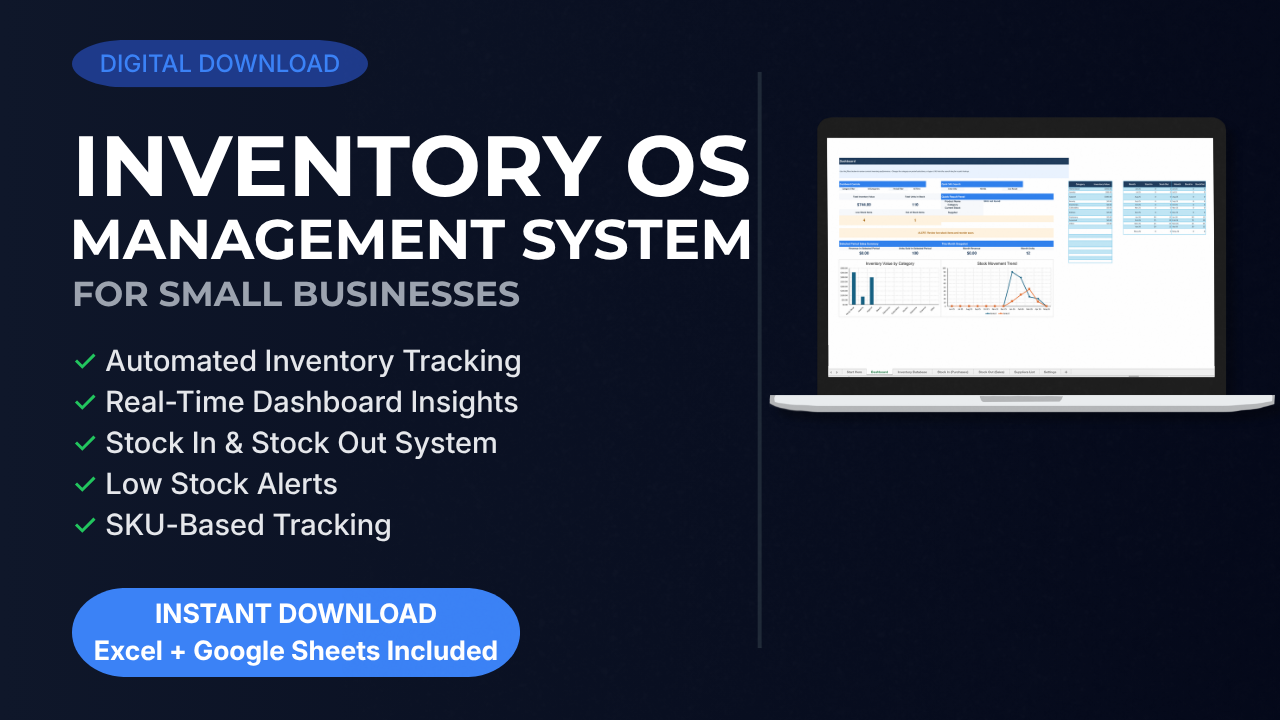
Here’s what you get:
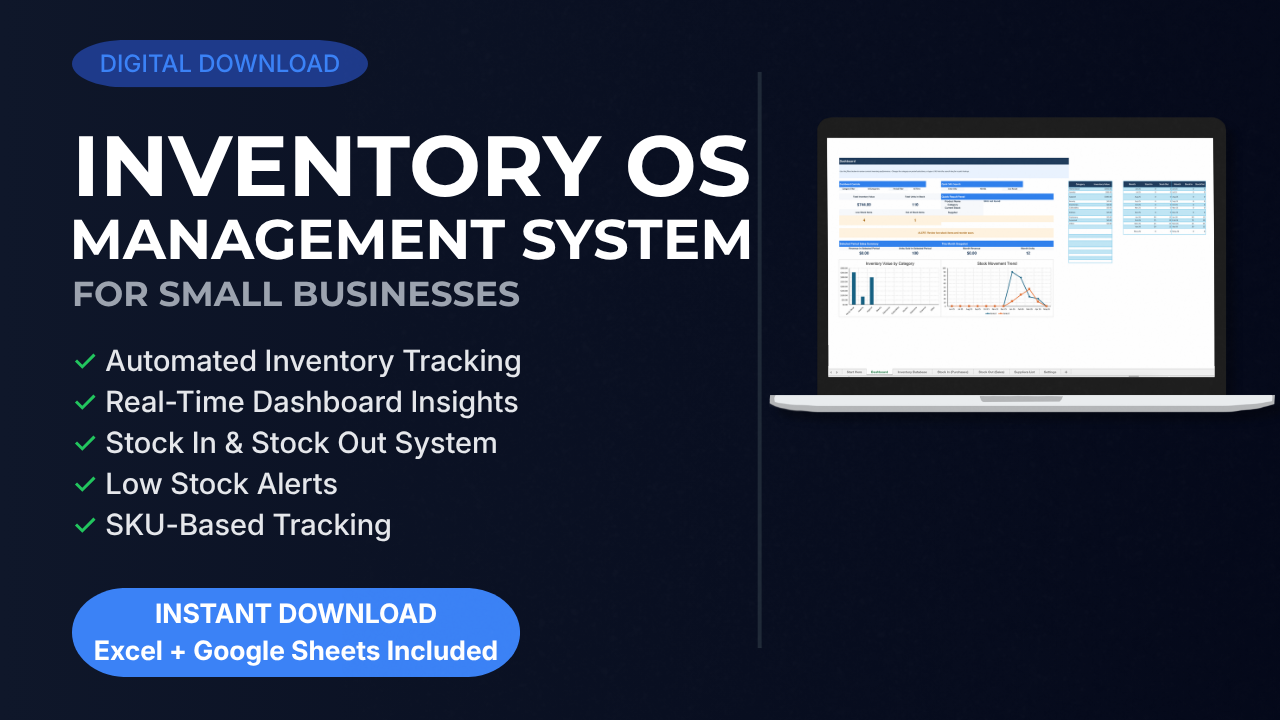
Automated inventory tracking
Your stock updates automatically based on what you record, no manual calculations needed
Stock in and stock out system
Separate, clean tracking for purchases and sales so nothing gets mixed up
Real-time dashboard
See key metrics, trends, and performance at a glance
Low stock alerts
Know exactly when it’s time to reorder before you run out
SKU-based tracking
Keep everything organized and accurate across your entire inventory
Profit and performance insights
Understand what’s actually making you money
This is the same structure used inside the system’s dashboard and tracking sheets , so you’re not guessing or building anything yourself.
Instead of guessing, you have clarity.
How it works (in simple steps)
You don’t need any technical skills to use it.
Here’s how you get started:
Step 1: Set up your categories and suppliers
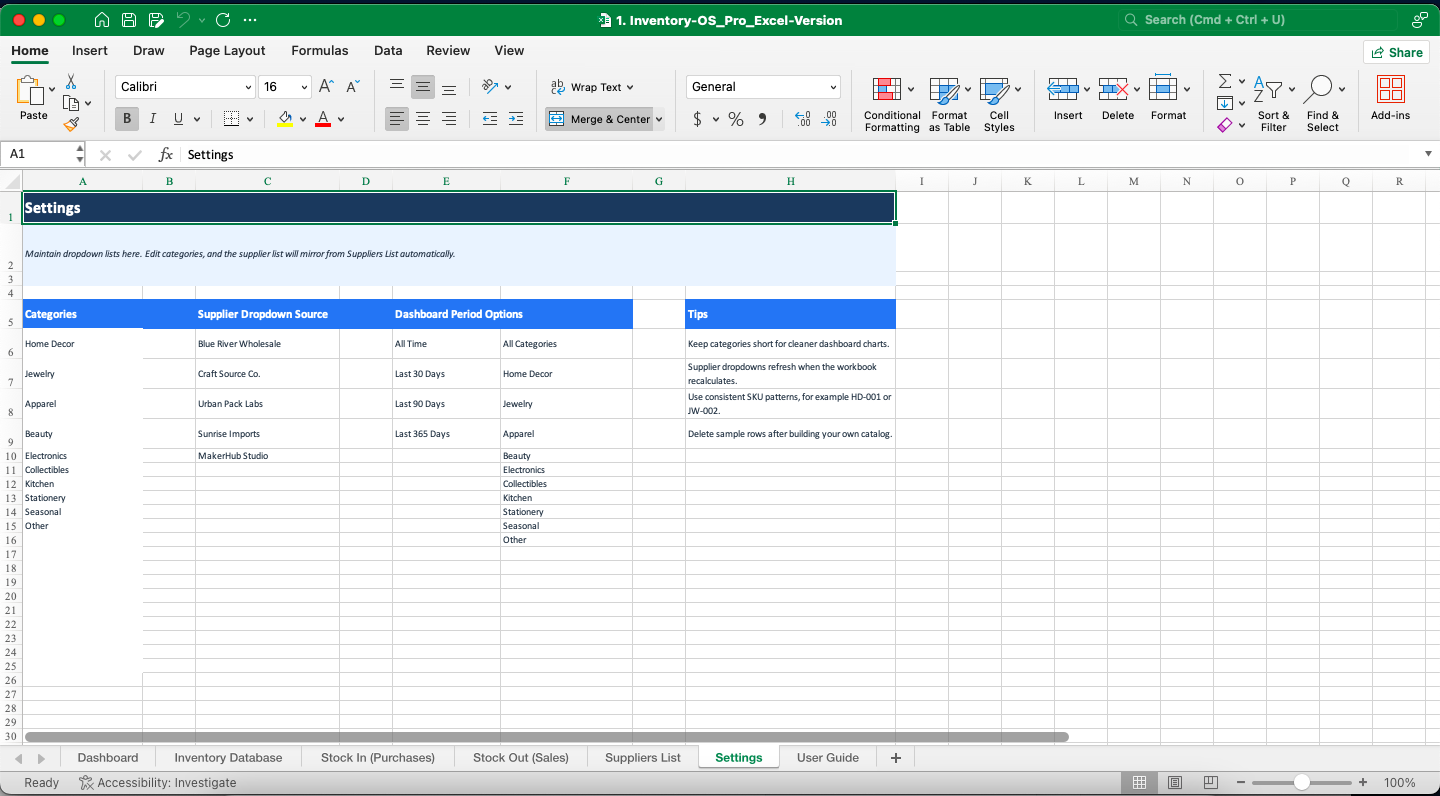
Add your basic business structure
Step 2: Add your products
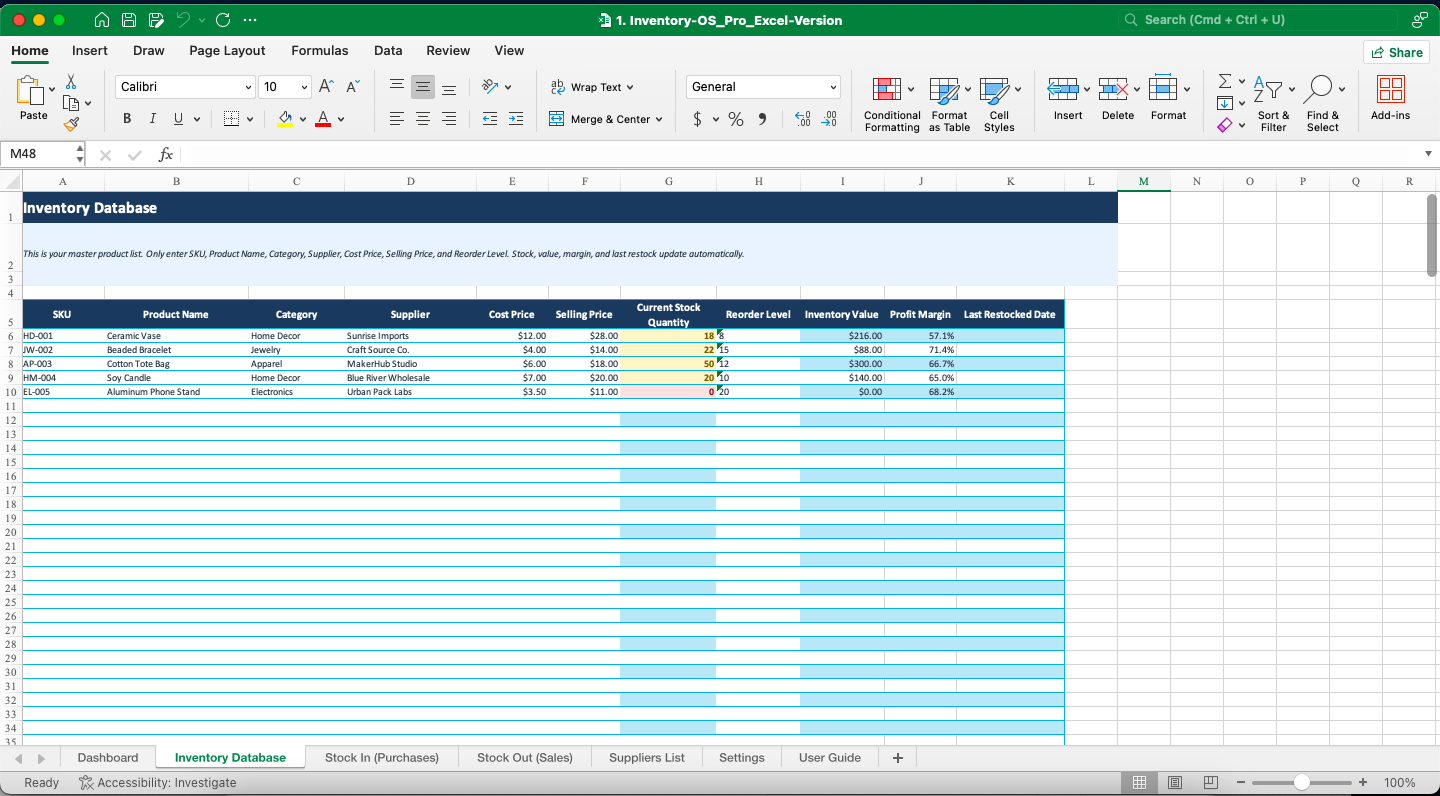
Build your inventory database with SKUs
Step 3: Record purchases
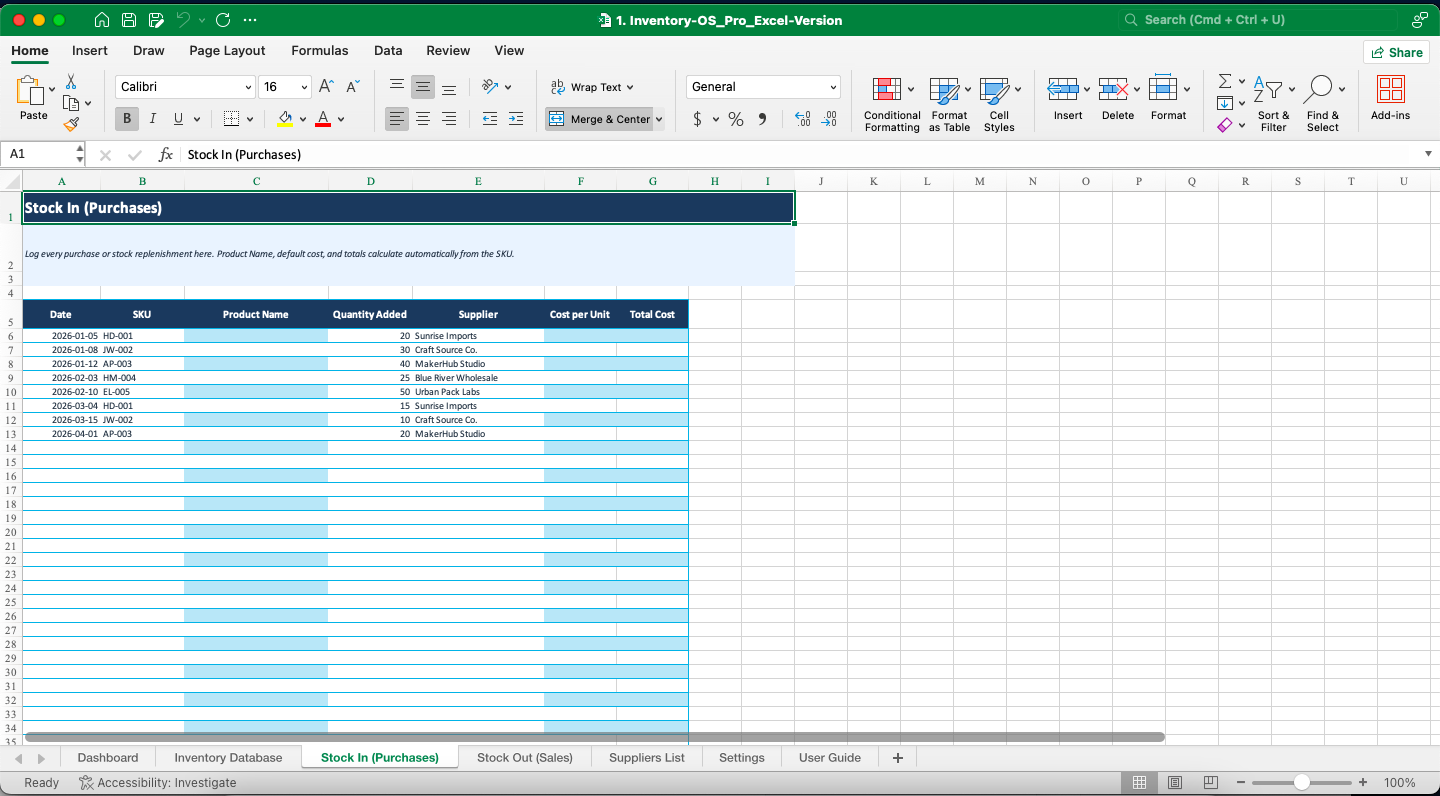
Log items in the “Stock In” sheet
Step 4: Record sales
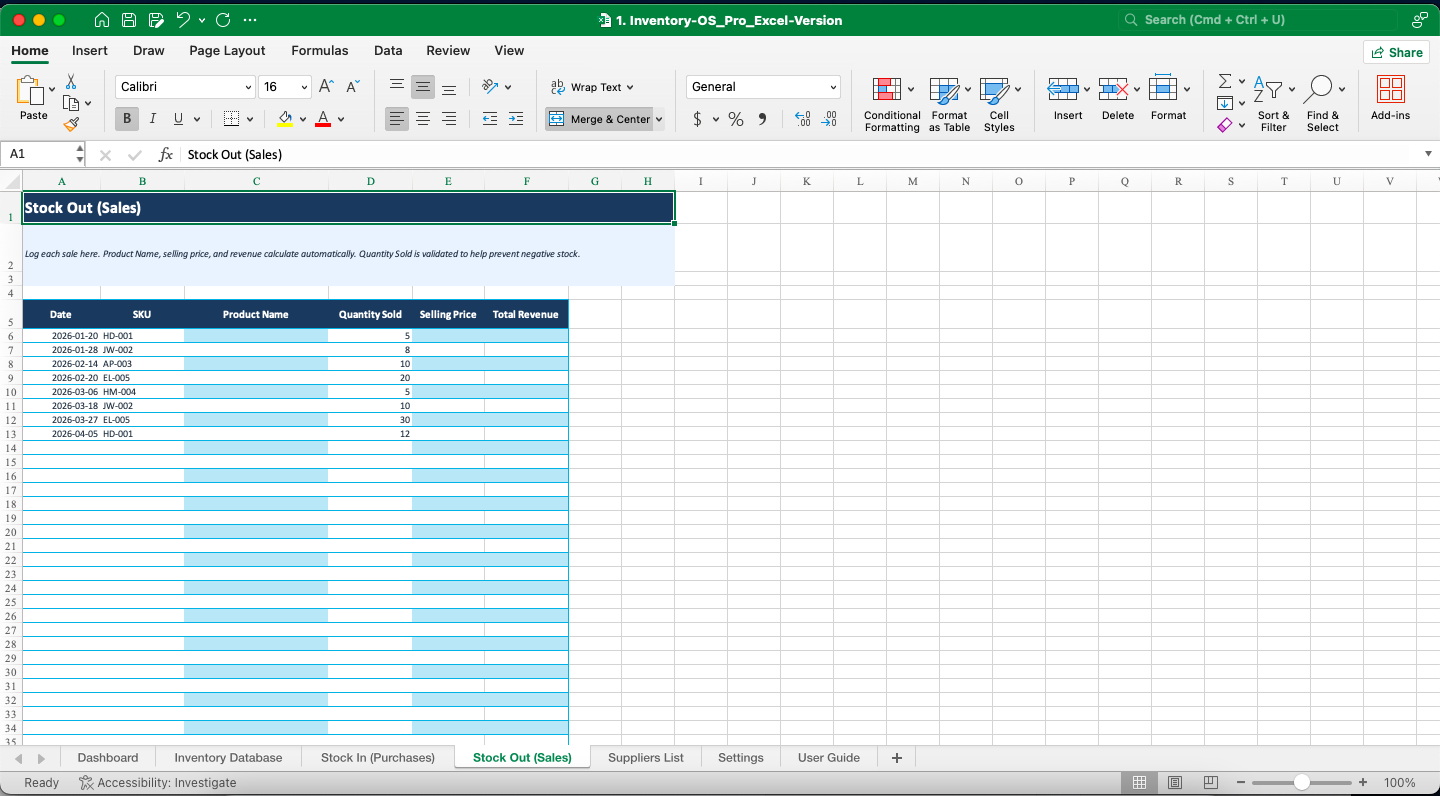
Log items in the “Stock Out” sheet
Step 5: Let the system handle the rest
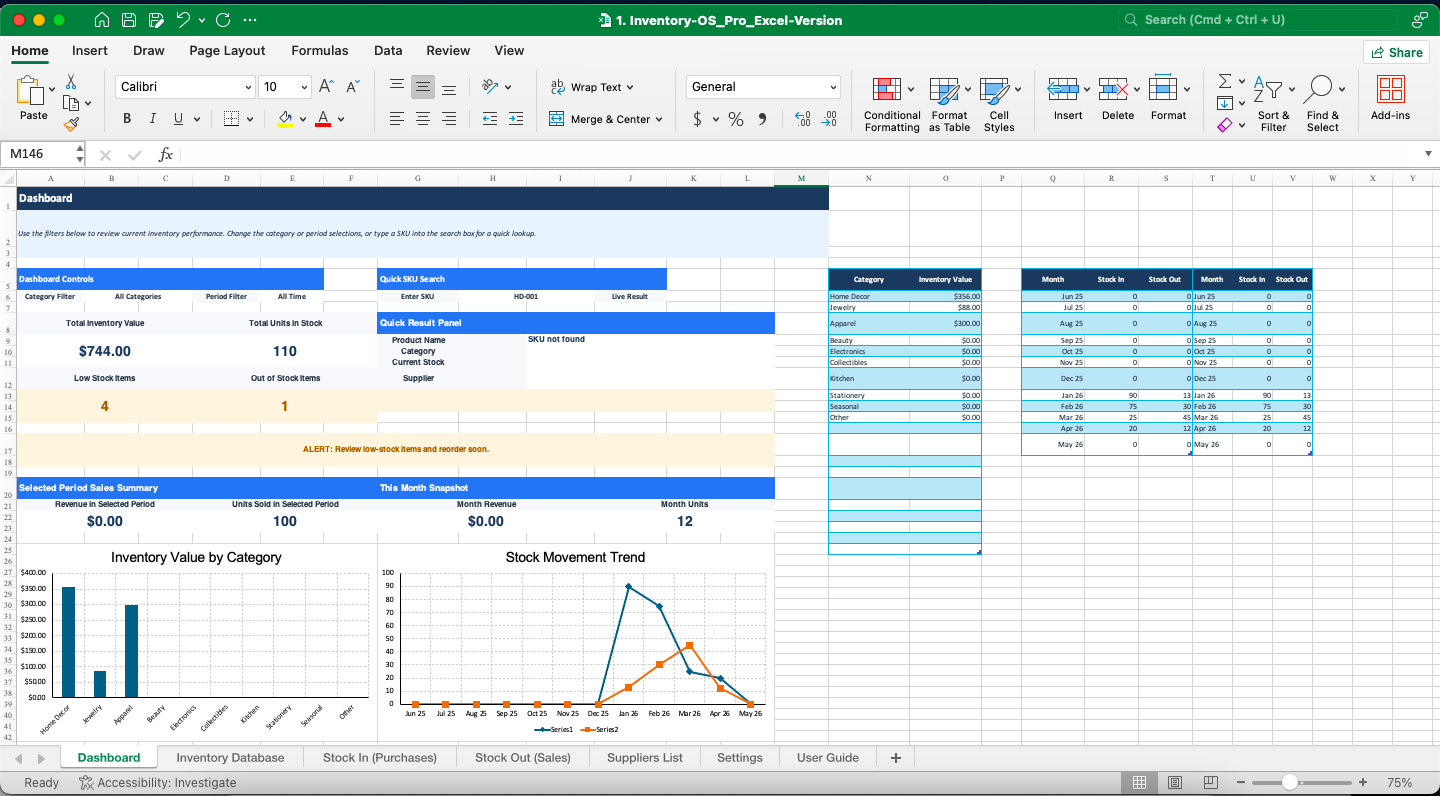
Your inventory updates automatically, and your dashboard reflects everything in real time
That’s it.
If you’ve ever tried building this from scratch, you’ll realize how much time this saves almost immediately.
What this looks like in real life
Let’s say you sell 40 to 50 products.
With a manual spreadsheet:
- You check each item individually
- You guess what needs restocking
- You miss trends
With a system like this:
- You open your dashboard
- Instantly see what’s low
- Know what’s selling
- Make smarter buying decisions
It turns inventory from a guessing game into a controlled system.
Who this is for
This works best if you are:
- Running a small business
- Selling on platforms like Shopify, eBay, or Amazon
- A reseller or wholesaler
- Managing physical products without a full ERP system
If you’re tired of messy spreadsheets but not ready for expensive software, this is exactly the gap it fills.
Build it yourself… or skip the hard part
You can build your own inventory system in Excel.
But realistically, it takes:
- Hours of setup
- Trial and error
- Fixing broken formulas
- Constant tweaking
Or you can start with a system that’s already built, tested, and ready to use.
Skip the setup and use the ready-made system.
Get started with Inventory OS Pro
If you want a clean, simple way to track your inventory without wasting time building spreadsheets from scratch, you can use Inventory OS Pro.
It’s designed to help you:
- Stay in control of your stock
- Avoid costly mistakes
- Make better decisions with real data
You can get instant access and start using it today.
Click here to get Inventory OS Pro.
Final thought
Inventory problems don’t usually come from complexity.
They come from lack of structure.
Once you have a system in place, everything becomes easier:
- You know what you have
- You know what you need
- You know what’s working
And that’s when your business starts running more efficiently.